MacBook Air Skins — Lid Size for M2, M3 and M4
Match your Air’s model number and lid size, not just “13-inch”. The 13.6″ and 15″ Airs from 2022 onwards have flat lids, which are different from the older wedge-shaped 13.3″ Air. Below are pre-cut skins made for the 13.6″ and 15″ Airs, then a quick way to check your model, a finish guide and a short checklist.
Pre-cut skins that fit the MacBook Air
Four for the 13.6″ Air and four for the 15″ Air. Each listing is labelled for a specific Air model, so check the size badge before you buy.

Head Case Designs, Micklyn Le Feuvre “Floral Elephant Patterns 2”: soft blue florals on white.
Listed for A2681 (M2). The M3 (A3113) and M4 (A3240) share this lid size, but check the listing names your model.

Head Case Designs, Mai Autumn: painterly reds, pinks and greens.
Listed for A2681 (M2). The M3 (A3113) and M4 (A3240) share this lid size, but check the listing names your model.

Head Case Designs marble print: calm white stone with gold and grey veins.
Listed for A2681 (M2). The M3 (A3113) and M4 (A3240) share this lid size, but check the listing names your model.

Head Case Designs, Alyn Spiller: a printed carbon-fibre look in black.
Listed for A2681 (M2). The M3 (A3113) and M4 (A3240) share this lid size, but check the listing names your model.

Head Case Designs, Cosmo18: a glowing orange black hole on deep black.
Listed for A2941 (M2). The M3 (A3114) and M4 (A3241) share this lid size, but check the listing names your model.

Head Case Designs, Alyn Spiller: a printed walnut and teal resin look.
Listed for A2941 (M2). The M3 (A3114) and M4 (A3241) share this lid size, but check the listing names your model.

Head Case Designs, Elisabeth Fredriksson: green leaf geometry with sparkle accents.
Listed for A2941 (M2). The M3 (A3114) and M4 (A3241) share this lid size, but check the listing names your model.

Head Case Designs, officially licensed: Miku among pink cherry blossom.
Listed for A2941 (M2). The M3 (A3114) and M4 (A3241) share this lid size, but check the listing names your model.
Prefer a clear hard case instead of vinyl? Two we list elsewhere: FINTIE clear case for Air 13″ (M2–M5) and EooCoo clear case for Air 13.6″.
Find your exact Air model
The model number (A followed by four digits) is printed in small text on the underside, near the hinge. About This Mac shows the name and year, for example “MacBook Air (13-inch, M3, 2024)”.
| Model number | MacBook Air | Year |
|---|---|---|
| A2681 | 13.6″ M2 | 2022 |
| A3113 | 13.6″ M3 | 2024 |
| A3240 | 13.6″ M4 | 2025 |
| A2941 | 15″ M2 | 2023 |
| A3114 | 15″ M3 | 2024 |
| A3241 | 15″ M4 | 2025 |
Pre-cut or universal sheet?
Pre-cut skins are labelled for one Air model, so the corners and logo line up without trimming. Universal sheets cost less but need careful trimming. If a listing is vague, treat it as universal and measure twice.
Keep vinyl on the flat plane of the lid. Decide whether you want the Apple logo covered before you buy, because the logo can show through light or translucent designs.
Finishes on an aluminium lid
Air lids are smooth aluminium, so most vinyl sits flat and neat. Choose the finish by how the lid will be handled.
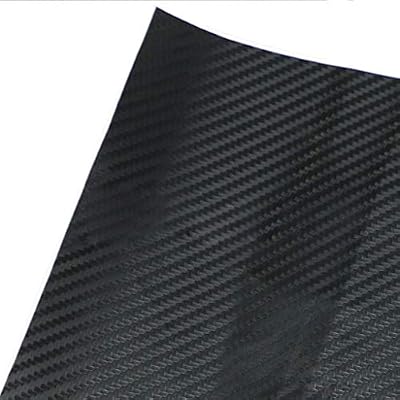

Matte softens fingerprints and glare. It’s the calm default for a work laptop.
Gloss makes colours pop but shows dust and smudges.
Printed effects such as the wood and marble skins above are smooth vinyl with a printed pattern, not a real texture.
More detail in laptop skin finishes explained.